 Javenzi
Free demo • 15 minutes • Online
See Javenzi on your own tender or project
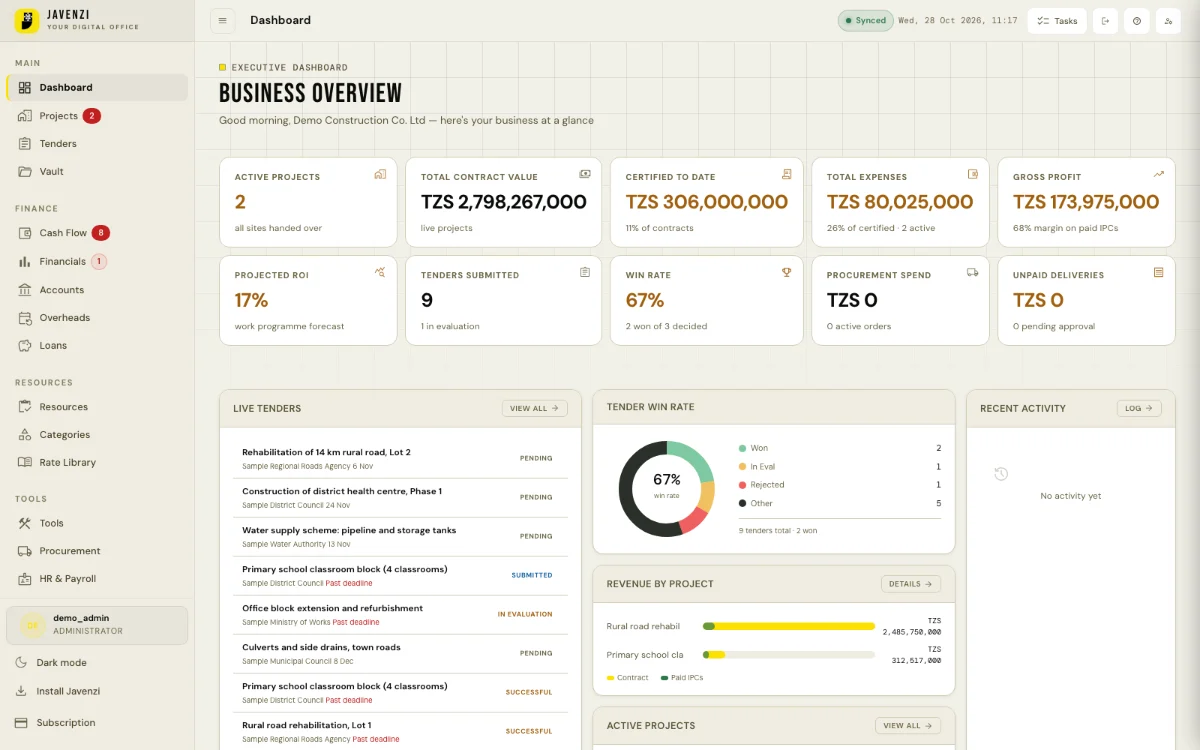
On a short video call we show you how Javenzi would organise your work, using one of your real tenders or projects. Not sample data from a company that isn't yours.
Free. No payment details. Prefer WhatsApp?
What to expect
Online, on your own work, and free
- Where
- Online, on a video call. We share our screen and drive; you tell us what to open. There is nothing to install.
- How long
- About 15 minutes, with time for your questions.
- What to send
- Nothing is required. A tender document or a few details lets us set your work up before the call; we tell you how to share them when we contact you. By requesting a demo you ask us to set up a company for you with what you tell us.
- What it costs
- Nothing. We ask for no payment details and there is no obligation afterwards.
After the demo
If Javenzi fits, your free pilot starts in the same company. The free pilot runs for 14 days. How the free pilot works
The agenda • about 13 minutes, then your questions
Exactly what we cover
Five parts, each one on your own work. Parts that read a tender document use yours if you share it before the call.
-
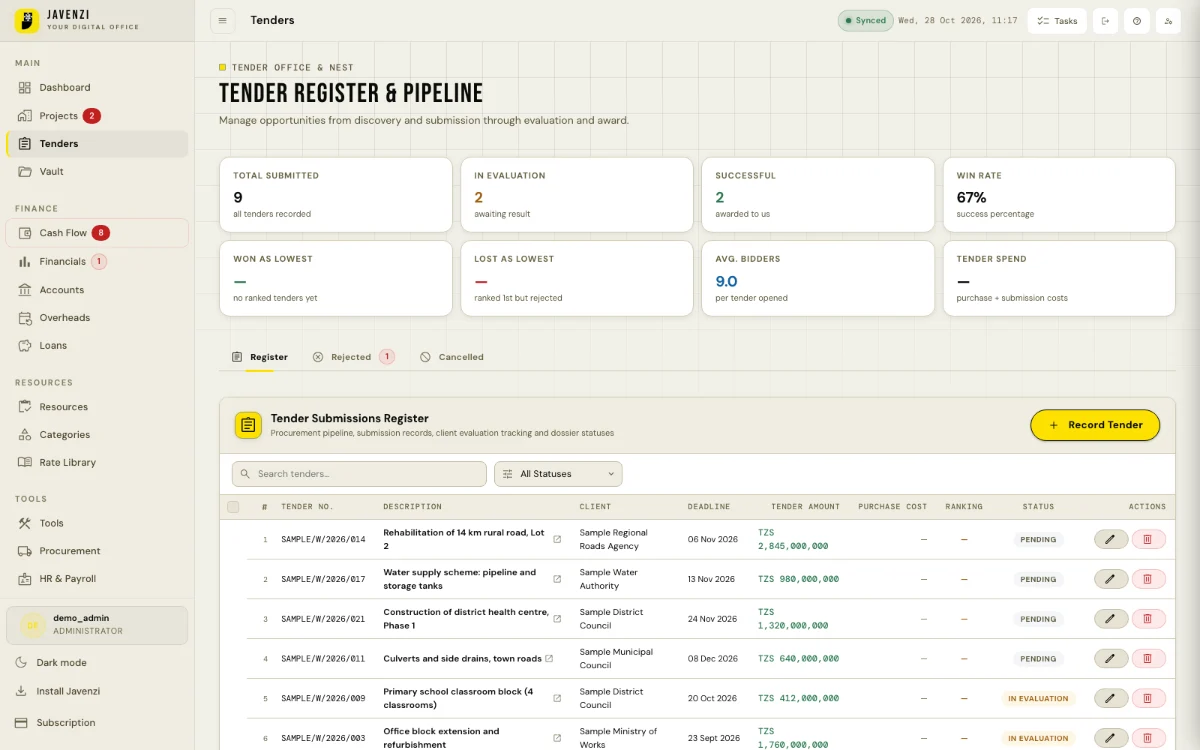
Your tender in the register
We open the tender register with your tender in it: name, procuring entity, deadline and status. One list for every tender your company follows.
-
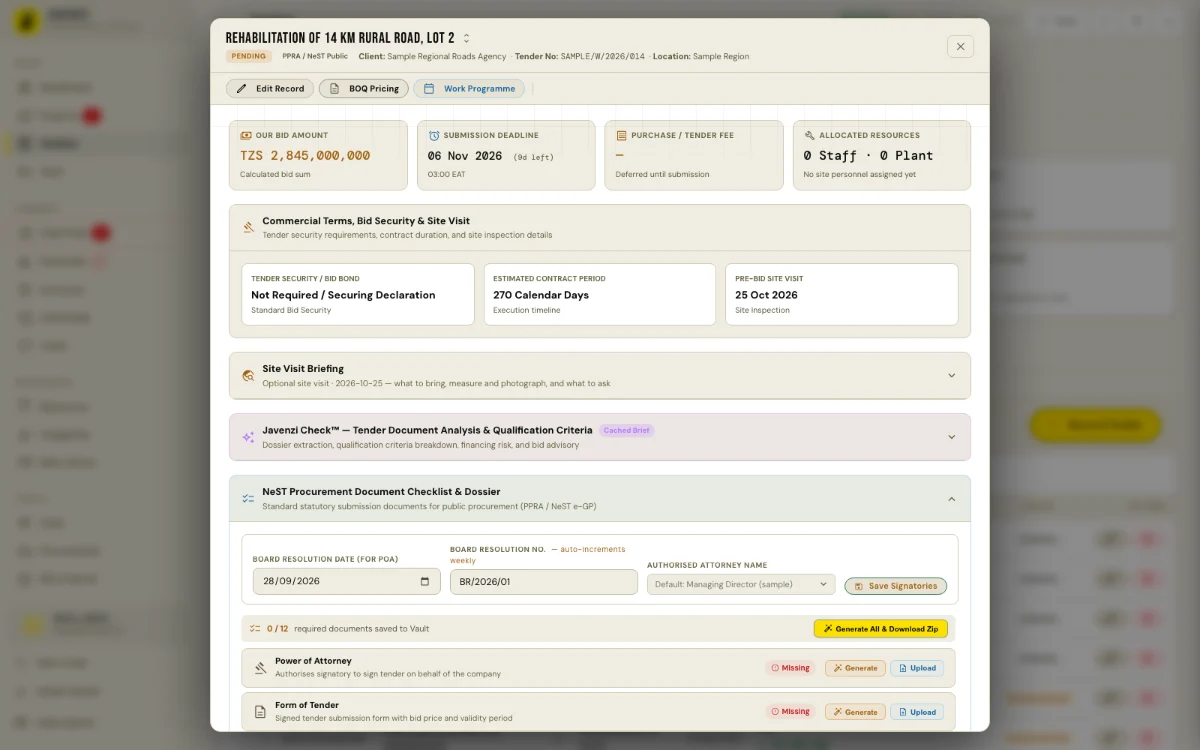
The Javenzi Check analysis
Javenzi reads the tender document and drafts a brief: scope, eligibility, bid security, key dates and red flags. Javenzi Check™ drafts it. You review it and decide whether to bid.
-
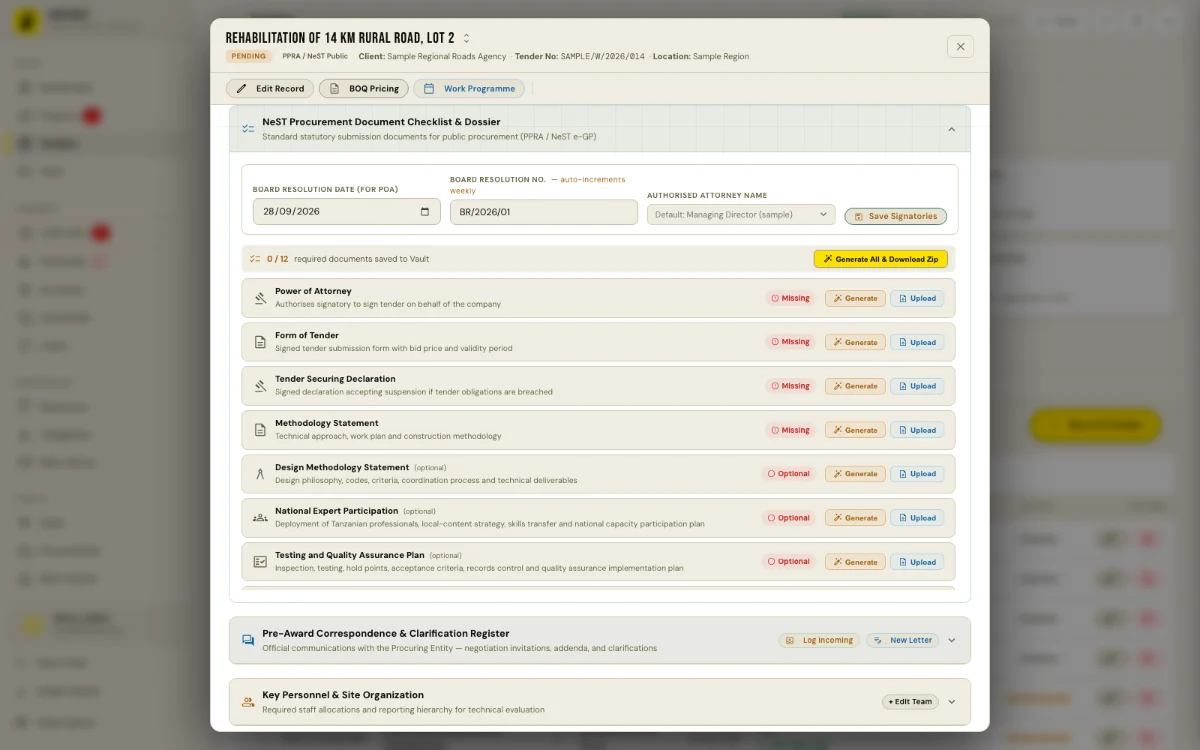
NeST documents from your records
Your company details fill the standard NeST forms, so you do not retype them for every bid. You review, correct and export.
-
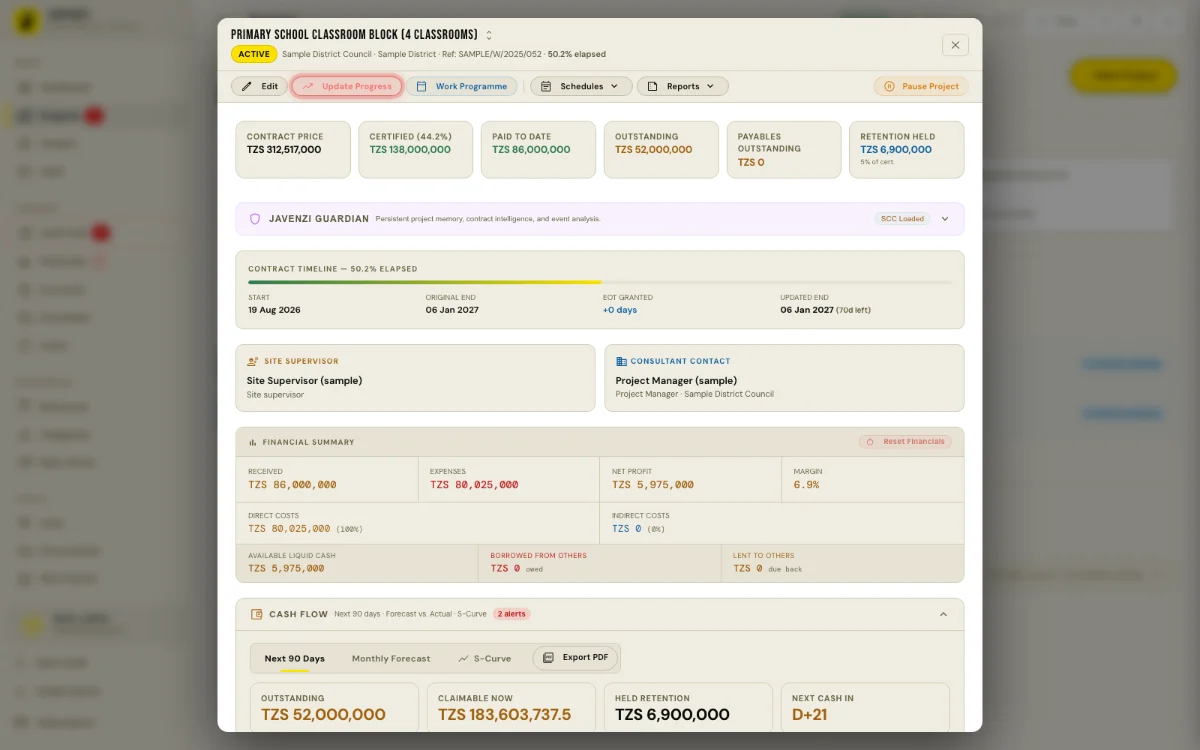
A won tender becomes a project
We mark the tender as won and move it to a project. The contract details carry over, and the project dashboard shows progress, certificates and money.
-
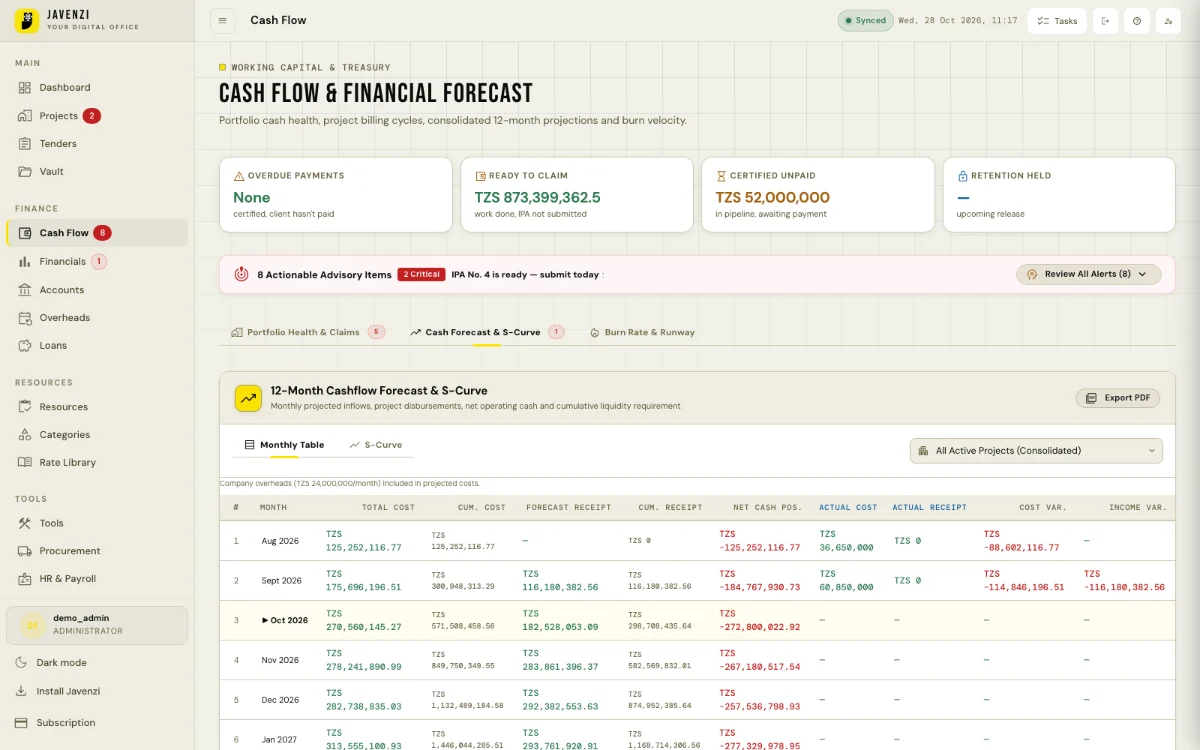
Cash flow and what is owed
What is ready to claim, what is certified but unpaid, and a 90-day cash projection built from your certificates, expenses and overheads, so a late payment shows up before it hurts.
Screenshots show Javenzi with sample data.
Before you request
Questions about the demo
Can we meet in person instead?
The demo is online. If you would rather meet in person, say so on the form and we will tell you whether we can.
What if I have ten tenders, not one?
We start with one so the 15 minutes stay focused. Once your pilot starts you can add your other tenders and projects.
Who can see my tender documents?
Each company's records are kept separate from every other company's. Some Javenzi Intelligence features read documents, so a document you choose to process is sent to a third-party AI provider. The details, including when our own staff can see your workspace, are on the Data & security page.
Ready to see it?
Request your 15-minute demo
Tell us one real tender or project and a time that suits you. We contact you to arrange the call.